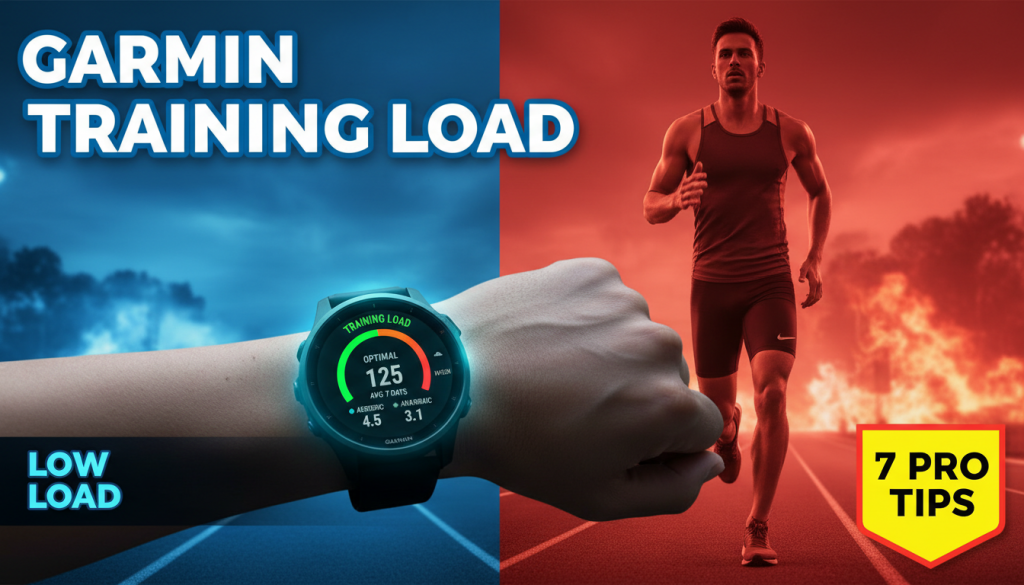
Garmin watches can feel like a tiny coach on your wrist—if you know what they’re actually telling you. Garmin Training Load Explained: that’s the key to turning all those numbers, colored gauges, and “Productive / Unproductive” messages into smarter workouts, faster races, and fewer injuries.
In this deep dive, we’ll break down how Training Load really works, what it gets right (and wrong), and how to use it to design better running weeks whether you’re chasing a 5K PR or your first marathon.
Outline
- What Is Garmin Training Load?
- How Garmin Calculates Training Load
- Why Training Load Matters for Runners
- Garmin Training Load Explained: 7 Essential Proven Tips
- Tip 1: Start by Calibrating Your Training Zones
- Tip 2: Read the Load Focus Chart Like a Coach
- Tip 3: Balance Acute vs Chronic Load (Without Overthinking)
- Tip 4: Use Training Load to Build Smarter Weekly Structure
- Tip 5: Pair Training Load with Recovery and Sleep Metrics
- Tip 6: Adapt for Race Training (5K to Marathon)
- Tip 7: Avoid the Most Common Garmin Load Mistakes
- When Not to Trust Garmin Training Load
- Practical 4-Week Example: From “Random Runs” to Structured Load
- Final Thoughts: Let the Watch Guide, Not Dictate
What Is Garmin Training Load?
To get Garmin Training Load Explained properly, you need to understand that “load” is Garmin’s way of estimating how much physiological stress each workout puts on your body.
In Garmin terms, Training Load is a number that reflects how hard you worked, not just how long you moved. A 30-minute tempo run might give you more load than a 60-minute easy jog, even though the jog was longer.
Garmin then looks at your load over the last seven days and compares it against what it thinks is “optimal” for your current fitness level. That’s where those “Low / Optimal / High” bars and the “Productive / Maintaining / Unproductive” labels come from.
Think of Training Load as your running “budget.” You only have so much stress you can recover from in a week. Load tells you how much of that budget you’ve spent.
How Garmin Calculates Training Load
Behind the scenes, Garmin uses something called EPOC—Excess Post-Exercise Oxygen Consumption—to estimate how much stress your workout placed on your body.
Here’s the simplified version of Garmin Training Load Explained from a data perspective:
- During each workout, your watch tracks heart rate, pace, and sometimes power (for running power supported watches).
- It estimates EPOC—how much extra oxygen your body will need during recovery.
- That EPOC value is converted into a Training Load number for that specific activity.
- Your 7-day total Training Load is the sum of these numbers across the past week.
Most modern Forerunner, Fenix, and Epix models also break Training Load down into three “Load Focus” buckets:
- Low Aerobic – easy runs, recovery jogs, walking.
- High Aerobic – tempo runs, steady-state, threshold.
- Anaerobic – intervals, sprints, VO2max work.
Garmin then suggests how much you “need” in each area to improve fitness efficiently without overdoing it.
Why Training Load Matters for Runners
Most running injuries and plateaus come from one of two problems:
- Increasing mileage or intensity too fast.
- Not doing enough challenging work to stimulate progress.
Training Load gives you a way to track this stress more intelligently than just counting miles or workouts per week.
If you’re doing the same loop at the same pace three times per week, your load might be “stable,” but your fitness may also be stuck. If you suddenly jump from two easy runs to five hard days, your load might spike into the red, and your injury risk rises.
Training Load is valuable when you use it for:
- Planning gradual progression.
- Detecting sudden spikes in stress.
- Balancing hard sessions with enough easy volume.
- Adjusting effort when life stress, work, and sleep are off.
Garmin Training Load Explained: 7 Essential Proven Tips
Let’s turn the theory into practice. These seven proven tips will help you use Garmin Training Load like a coach—not a random number generator.
Tip 1: Start by Calibrating Your Training Zones
Everything Garmin calculates for Training Load depends on how accurate it thinks your effort is. If your heart rate zones, max HR, or lactate threshold are off, your load numbers will be misleading.
To get Garmin Training Load Explained correctly in your training, start here:
- Update your max heart rate. You can use the classic 220 − age formula as a loose starting point, but it’s often wrong by 5–15 beats.
- Use a field test or real workout. A hard 3–5 minute hill or interval session can reveal your true max HR if you push near all-out.
- Run a Threshold Test. Many Garmin models offer a guided Lactate Threshold test using HR or pace. Do this well-rested.
- Check your resting heart rate. Update it from a week of morning readings or Garmin’s auto-detection.
Once your HR zones are dialed in, Training Load will better reflect how stressful your easy days and hard days truly are.
If you’re newer to effort-based training, this guide on training by heart rate offers a clear breakdown of using zones without overcomplication.
Tip 2: Read the Load Focus Chart Like a Coach
Many runners only look at the big Training Load number, but the real power comes from Load Focus—the bars labeled “Low Aerobic,” “High Aerobic,” and “Anaerobic.”
Here’s Garmin Training Load Explained through the Load Focus lens:
- Low Aerobic (Base): This is your foundation—easy miles, conversational pace, recovery runs. It supports fat-burning, capillary density, and overall endurance.
- High Aerobic (Tempo / Threshold): These moderate-hard efforts raise your lactate threshold, helping you run faster for longer.
- Anaerobic (Speed / VO2): Short, sharp intervals and sprints that push your top-end speed and oxygen delivery.
Garmin will show which buckets are “Below,” “Optimal,” or “Above” target. Think of that as a rough periodization suggestion:
- If Low Aerobic is low: You probably need more easy volume and base work.
- If High Aerobic is low: Add some tempo or steady moderate runs.
- If Anaerobic is low: Introduce strides, hill sprints, or short intervals once or twice per week.
Don’t chase perfect bars every week. Instead, use them as feedback: “What kind of stress have I been giving my body lately?”
Tip 3: Balance Acute vs Chronic Load (Without Overthinking)
Coaches often talk about “acute vs chronic load”—short-term vs long-term training stress. Garmin doesn’t label it that way, but the concept is built into Training Load and the 7-day moving window.
Here’s Garmin Training Load Explained in stress terms:
- Acute Load = last 7 days of Training Load.
- Chronic Load (not shown directly) = many weeks of consistent training, your long-term fitness base.
Problems arise when acute load jumps far beyond what your chronic base can handle. This might feel like:
- You suddenly add a fourth or fifth run to your week.
- You introduce hard intervals on top of long runs in the same week.
- You come back from a layoff and immediately train like you never stopped.
Use 7-day Training Load trends to avoid big spikes. A rough guideline:
- Increase your 7-day load by no more than 5–10% per week when building.
- If your load jumps 20–30% in one week, watch for fatigue, niggles, or poor sleep.
This is where adaptive planning tools shine by smoothing workload jumps. For more on managing spikes, see how adaptive training prevents workload spikes that can lead to injury.
Tip 4: Use Training Load to Build Smarter Weekly Structure
One of the best ways to get Garmin Training Load Explained in a meaningful way is to tie it to how you structure your week.
A classic, effective weekly pattern for most runners is: (Garmin training load support)
- 2 hard days (tempo, intervals, hills).
- 2–4 easy days (easy runs, recovery runs).
- 1 long run (often easy to moderate).
Here’s how Training Load helps refine that:
- After a hard interval session: Your load spikes, especially in the Anaerobic / High Aerobic buckets. Plan the next day as easy or off until load and Body Battery (if you use it) settle.
- During base-building phases: Aim to grow Low Aerobic load steadily week to week without big jumps.
- Before race week: Let your 7-day load trend gently down while maintaining a touch of High Aerobic and Anaerobic work.
Instead of guessing whether a week is “hard” or “easy,” you’ll see it in the numbers. If your supposed recovery week still shows “High” load with lots of red warnings, it’s not really recovery.
To combine Training Load with habits that keep you consistent over months, check out these proven running consistency habits that pair well with data-driven training.
Tip 5: Pair Training Load with Recovery and Sleep Metrics
Training Load measures “how much stress you’ve done.” It does not measure “how well you’ve recovered from it.” That’s a critical distinction.
For a fuller Garmin Training Load Explained picture, you need to pair load with recovery tools:
- HRV Status (on newer watches): Low HRV or “Unbalanced” status can indicate systemic stress—training, life, or both.
- Sleep Score: Poor sleep amplifies the stress of any given load.
- Body Battery: A quick gauge of whether your nervous system is ready for more hard work.
Some practical guidelines:
- If Training Load is “High” and HRV / Sleep / Body Battery all look poor, consider backing off regardless of your plan.
- If Training Load is “Low” but you feel wrecked, explore life stress, travel, or illness before adding extra hard work.
- If Training Load is “Optimal” and recovery stats look good, you’re in a sweet spot—stay there for a few weeks.
This is what separates long-term progress from boom-bust cycles of overtraining and forced rest.
Tip 6: Adapt for Race Training (5K to Marathon)
Your Training Load pattern should look different depending on your race distance and current goal. Here’s Garmin Training Load Explained across common race types:
5K Training
- Higher proportion of Anaerobic and High Aerobic load.
- Weekly load made up of intervals, VO2max work, tempo, and shorter long runs.
- Risk: Too many hammer sessions without enough easy volume.
If you’re moving toward your first or fastest 5k, aim for:
- At least half your weekly load from Low Aerobic runs.
- 1–2 focused speed or VO2 sessions that push Anaerobic load, not 3–4.
Half Marathon and Marathon Training
- Most of your Training Load should be Low and High Aerobic.
- Long runs add significant load even at easy paces.
- Speed is still useful, but a smaller contributor to total load.
For longer distances, like your first marathon, consider:
- Building Low Aerobic load steadily over 8–12+ weeks.
- Strategically adding High Aerobic tempo or marathon-pace work inside long runs.
- Keeping Anaerobic sessions short and supplemental.
As race day approaches, your weekly Training Load should taper gently. Garmin will often show “Maintaining” or even “Unproductive” during a taper because load drops while fitness holds. That’s okay—judge how you feel, not just what the watch reports.
Tip 7: Avoid the Most Common Garmin Load Mistakes
Understanding Garmin Training Load Explained also means knowing where it can lead you astray. Here are common traps and how to dodge them.
1. Chasing the “Optimal” Zone Like a Video Game
Many runners treat the green “Optimal” bar as something to fill every week. But life, races, and fatigue don’t work that neatly.
- You’ll have low-load weeks when sick, traveling, or recovering.
- You’ll have higher-load weeks in peak training blocks.
Use “Optimal” as a gravity center, not a requirement.
2. Ignoring Easy Runs Because They Look “Low Load”
Easy runs might not give huge Training Load numbers, but they form the backbone of endurance. Don’t skip them because they feel “too light” or don’t move your stats enough.
In reality, stacking many low-stress days builds huge long-term fitness and resilience.
3. Assuming High Load Always Equals High Progress
More isn’t always better. Chronically high Training Load with poor recovery is a recipe for:
- Stagnant or dropping VO2max estimates.
- Frequent illness or niggling injuries.
- Burnout and loss of motivation.
If this sounds familiar, it may be time to step back and rebuild with structured blocks. The principles in planning a powerful season can help you line up your load peaks with your goal races, instead of riding at maximum strain year-round.
4. Forgetting About Non-Running Stress
Garmin only measures training stress, not life stress. Heavy work deadlines, lack of sleep, travel, and emotional strain all tax the same recovery systems your running does.
On high-life-stress weeks, it’s wise to interpret Training Load more conservatively. A “moderate” load week on top of poor sleep and long days may act like “high” load internally.
5. Not Recording All the Hard Sessions
If you lift heavy, do HIIT, or play intense sports without recording them, your Training Load picture will be incomplete.
Whenever possible, record cross-training sessions, even if they’re not runs. Garmin can often estimate load from heart rate and effort, giving you a more realistic total stress profile. (Garmin running science load)
When Not to Trust Garmin Training Load
Garmin is powerful, but not omniscient. There are times when you should override or heavily discount its Training Load suggestions.
1. During Illness or Injury
If you’re sick or coming back from injury, your tissues and immune system are compromised. Even a “Low” Training Load run might be too much.
In these situations:
- Use symptoms, medical guidance, and perceived effort as your primary guides.
- Ignore “Low Load” warnings urging you to train more.
- Let your 7-day load drop; you’ll rebuild later.
2. Right After a Break or Off-Season
Garmin bases the “Optimal” zone on your current VO2max and recent history, which might not fully reflect detraining after a long break.
For at least 2–4 weeks back from a layoff:
- Treat Training Load numbers as rough references.
- Focus on easy base mileage, gradually ramping frequency.
- Avoid the temptation to “catch up” to your previous Optimal range quickly.
3. When Wrist Heart Rate Is Obviously Wrong
Optical HR sensors can be unreliable in cold weather, with poor fit, or during certain activities.
Examples:
- Heart rate spiking to 190 bpm during an easy jog.
- Long periods where HR doesn’t change despite pace shifts.
These errors can wildly distort Training Load. If you see them often, consider:
- Using a chest strap for key workouts.
- Tightening the watch band slightly.
- Wearing the watch slightly higher on the wrist.
Practical 4-Week Example: From “Random Runs” to Structured Load
To bring Garmin Training Load Explained into real life, let’s walk through a four-week example for an intermediate runner targeting a faster 10K.
Starting Point
- Running 3–4 times per week.
- Mostly similar pace and distance.
- 7-day Training Load: ~400–450, mostly Low Aerobic.
Week 1: Introduce a Tempo Run
- 1 x 20–25 minute tempo run at comfortably hard pace.
- 2–3 easy runs at conversational pace.
Result:
- 7-day Load: ~450–500.
- More High Aerobic load appears; bars start filling.
Key: Load only increases ~10%, avoiding a big spike.
Week 2: Add Short Intervals
- 1 tempo run (similar to week 1).
- 1 interval session: 6 × 2 minutes hard with 2 minutes easy jog.
- 2 easy runs + 1 longer easy run.
Result:
- 7-day Load: ~520–560.
- Anaerobic bucket starts to register as “within or near target.”
Key: Easy runs become more important to balance increasing hard load.
Week 3: Maintain Load, Shift Emphasis
- 1 longer tempo: 2 × 15 minutes at threshold with 5-minute easy between.
- 1 shorter, slightly easier interval set.
- 2–3 easy runs, one slightly longer.
Result:
- 7-day Load: ~520–570 (similar to week 2).
- Load Focus: High Aerobic near Optimal, Anaerobic moderate, Low Aerobic still a strong base.
Key: Fitness improves without big load jumps because the structure, not total stress, is changing.
Week 4: Deload / Recovery Week
- One light workout: short tempo or strides.
- All other runs easy, slightly shorter.
Result:
- 7-day Load: ~380–420 (intentionally reduced).
- Garmin might show “Maintaining” or “Unproductive” because load falls.
Key: Despite what the watch label says, this is a strategic week to absorb training and avoid burnout. Subjectively, you should feel fresher by the end of the week.
Over four weeks, this runner:
- Improved structure and variety.
- Gradually increased 7-day load, then backed off.
- Let Load Focus guide which kinds of workouts to emphasize.
Final Thoughts: Let the Watch Guide, Not Dictate
Garmin Training Load Explained simply: it’s a smart estimate of how much training stress you’re putting on your body, broken down into easy, steady, and hard efforts. Used well, it helps you:
- Avoid injury-causing spikes in training.
- Balance hard workouts with enough easy miles.
- Structure training phases for 5K up to marathon goals.
But like any tool, it works best when combined with your own awareness—how your legs feel, how you’re sleeping, and what else is happening in your life.
If you want to go beyond raw numbers, pairing Training Load with smart seasonal planning, goal-focused systems, and consistent habits will move you further and faster. You can explore how systems help runners crush goals and then layer your Garmin data on top as a feedback loop, not a dictator.
Use your watch as a coach’s assistant, not the head coach. The more you understand what Training Load is really telling you, the more your running—and your enjoyment of it—will improve.