
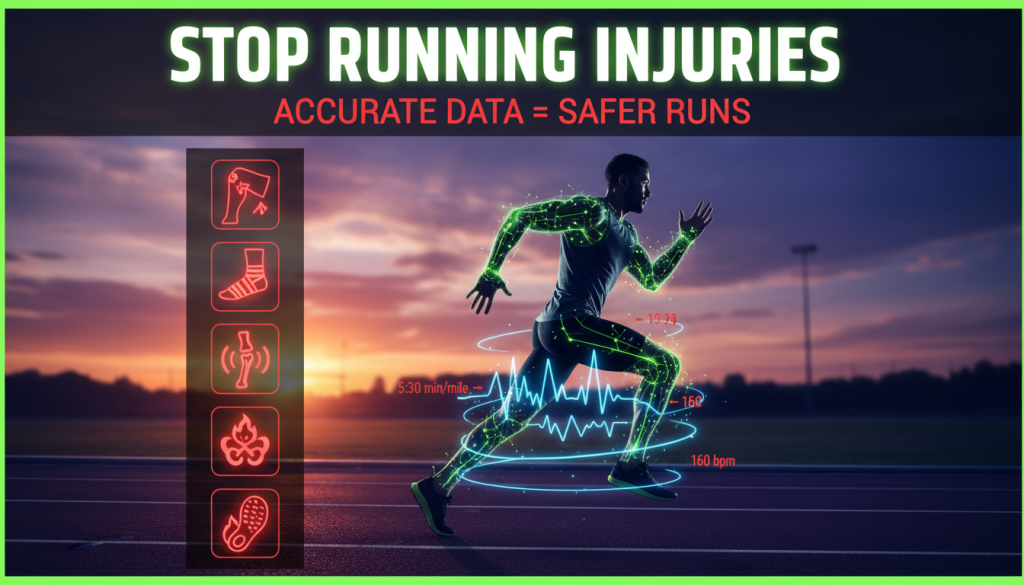
Runners talk endlessly about miles, pace, and shoes—but the silent game‑changer is the quality of the data behind every step. When your GPS, watch, or app is off, bad decisions follow, and those decisions often end in pain. Accurate Running Data Prevents a huge percentage of the injuries runners casually blame on “bad luck,” “getting older,” or “just overdoing it.” In reality, it’s usually a data problem long before it becomes a tissue problem.
Table of Contents
- Why Data Quality Matters More Than You Think
- How Accurate Running Data Prevents Injuries in General
- Injury 1: Stress Fractures and Bone Stress Injuries
- Injury 2: IT Band Syndrome
- Injury 3: Runner’s Knee (Patellofemoral Pain)
- Injury 4: Achilles Tendinopathy
- Injury 5: Plantar Fasciitis
- What “Accurate Running Data” Actually Means
- Gadgets, Watches, and Apps: Getting Better Data
- Practical Rules: How to Use Accurate Data Every Week
- Red Flags in Your Data Before an Injury Strikes
- Bringing It All Together
Why Data Quality Matters More Than You Think
Most runners don’t get injured in a single dramatic moment. They accumulate tiny overloads over weeks: a little too far, a bit too fast, too little rest. Those overloads are invisible in the moment, but they’re obvious in the numbers—if your numbers are right.
That’s where Accurate Running Data Prevents problems. If your distance is under‑reported, you “add a little more.” If your pace is off, you push harder than your plan intended. If your recovery metrics are noisy, you ignore growing fatigue. Over months, that mismatch between what you think you’re doing and what your body is enduring turns into pain.
Good data narrows that gap. It makes your training load match your goals and your current capacity. Poor data quietly inflates risk, especially for five classic running injuries.
How Accurate Running Data Prevents Overuse Injuries in General
Overuse injuries are fundamentally training errors multiplied by time. The body can handle almost anything, given a gradual build-up and appropriate rest. It’s the spikes, gaps, and misjudgments that cause trouble.
Accurate Running Data Prevents those misjudgments in three core ways:
- Volume control: True distance and time keep your weekly mileage growth within safe ranges.
- Intensity control: Reliable pace and heart rate prevent easy days from turning into stealth tempo sessions.
- Recovery tracking: Honest rest days, sleep metrics, and heart rate variability show when stress is piling up.
Before diving into specific injuries, it helps to remember one big principle: almost all of them are load‑management problems. Better data means better load decisions, and better load decisions mean fewer breakdowns.
Injury 1: Stress Fractures and Bone Stress Injuries
Why Stress Fractures Happen
Stress fractures and bone stress injuries usually show up in the tibia, metatarsals, or hips. They’re classic outcomes of the “too much, too soon” story: you add mileage or hard sessions faster than your bones can remodel.
Bones adapt slower than muscles. You might feel fit and strong while your skeleton is quietly falling behind. The trap is that fitness feels good, so you trust your cardio more than your data.
How Accurate Running Data Prevents Bone Stress Injuries
Accurate distance and training load are your first defense. If your GPS underestimates distance by just 5–10%, you slowly creep past safe volume increases. You think you went 40 km this week, but your body actually did 44.
Here’s how good data helps:
- Controlled progression: You can respect the 5–10% weekly mileage rule because your base numbers are correct.
- True workload over time: Training load metrics (like TSS or effort-based scores) are only useful when pace and distance are reliable.
- Honest long runs: When your 20 km long run is truly 20, not 22, the step-up in bone stress is what you intended.
For runners ramping for longer races, pairing accurate GPS with grounded pacing strategies is crucial. Resources like How To Train For A 5K To Hit Your PB | 5k Training Plans show how structured progression keeps your skeleton safe while your aerobic engine grows.
Red Flags in the Data Before a Stress Fracture
Watch for these patterns in your logs:
- Back‑to‑back weeks with >10–12% mileage increase.
- Multiple long runs above your historical norm within a short period.
- A sudden jump in average weekly steps or total time on feet (including walking commutes).
When Accurate Running Data Prevents misreading those jumps, you maintain a staircase build, not a cliff.
Injury 2: IT Band Syndrome
What Triggers IT Band Issues
IT Band Syndrome is that sharp, outer‑knee pain that flares during or after runs, especially downhill. It’s driven by repetitive stress and often linked to:
- Rapid increases in hill or downhill running.
- Sudden changes in terrain (trail vs road).
- Overstriding or abrupt shifts in pace.
It’s not just “weak glutes”—it’s the cumulative loading pattern around your hip and knee, often magnified by poor control of pace or terrain volume.
How Accurate Running Data Prevents IT Band Syndrome
Two data clusters matter most here: terrain and intensity. When elevation and pace are recorded honestly, you can balance stress across the week instead of front‑loading it onto a few brutal sessions.
Accurate Running Data Prevents IT band flare‑ups by allowing you to:
- Track elevation gain: Knowing true total climb helps you introduce hills and descents gradually.
- Control downhill damage: Monitoring pace on descents avoids “sprinting the downs” that punish the IT band.
- Spot pattern changes: A clear shift from flat road to hilly trail volume appears instantly in good logs.
Many runners also benefit from targeted strength. Guides like Running Injury Prevention Through 7 Proven Powerful Moves show how combining proper data use with glute and hip work makes your IT band far more tolerant to training spikes.
Specific Data Practices for IT Band Protection
Build these habits:
- Limit weekly net elevation increase to about 10–15% when you’re adding hills.
- Check average pace and max pace on downhills; intentionally cap them, even if flowy terrain tempts you.
- Distribute your hill sessions so no single day owns the majority of weekly elevation.
Without accurate elevation and pace, your log may look moderate while your IT band is quietly getting hammered.
Injury 3: Runner’s Knee (Patellofemoral Pain)
Why Runner’s Knee Is So Common
Runner’s knee is a dull, often diffuse pain around or behind the kneecap. It’s strongly associated with:
- Overuse at moderate intensities.
- Large jumps in total volume.
- Lots of stairs, hills, or squats layered on top of running.
The kneecap is sensitive to total load across the week, not just single sessions. It responds badly when easy days are not truly easy and recovery weeks quietly vanish.
How Accurate Running Data Prevents Runner’s Knee
The main villains here are mis‑measured volume and mis‑labeled intensity. If your “easy” runs are really moderate and your weekly mileage is underestimated, you build chronic patellofemoral stress without realizing it.
Accurate Running Data Prevents this by letting you:
- Protect easy days: Verified pace and heart rate confirm that your recovery runs are slow enough.
- Respect cut‑back weeks: True totals help you reduce volume by 15–30% every 3–4 weeks.
- Balance speed work: Honest pacing on intervals prevents sessions from becoming harder than prescribed.
Patellofemoral pain usually surfaces after weeks of quiet overload. Good data exposes that overload as soon as it appears, not after your knee starts to complain.
Knee‑Friendly Data Targets
Some rough benchmarks:
- At least 70–80% of weekly volume should be in an easy, conversational effort zone.
- Marathon‑oriented runners often cap hard sessions at 2–3 per week; data helps enforce that.
- Every 3–4 weeks, reduce weekly volume while keeping some intensity to let tissue stress reset.
These principles become reality only when your GPS, watch, and app record accurately and consistently.
Injury 4: Achilles Tendinopathy
How Achilles Problems Develop
Achilles tendinopathy usually starts as a stiff or sore tendon in the morning or at the start of runs, then escalates into constant pain. It’s strongly linked to: (Using running watch data)
- Sudden increases in speed work or hill sprints.
- Quick changes in shoe drop or stiffness.
- Sharp spikes in weekly mileage or frequency.
The Achilles hates abrupt changes. It thrives on predictable, gradually increasing loads.
How Accurate Running Data Prevents Achilles Injuries
Accurate Running Data Prevents Achilles overload by revealing how quickly you’re changing both intensity and volume. Inaccurate pace, missing splits, or corrupted files hide your true workload.
With clean data, you can:
- Gradually introduce faster work: Track total weekly minutes or kilometers at faster-than-threshold effort.
- Monitor hill sprint volume: Count total vertical gain plus time spent climbing at high intensity.
- Control frequency: Space intense sessions so the tendon gets 48–72 hours between high‑load efforts.
If your watch underestimates pace on intervals, you’ll run them harder than intended, loading your Achilles far more than your plan suggests.
Data‑Based Rules for a Happy Achilles
Try these guidelines:
- Increase total weekly “fast” volume by no more than 10–15% at a time.
- Introduce new shoes gradually, tracking kilometers in each pair with your app.
- Monitor morning stiffness and correlate it with prior‑day intensity; if stiffness persists or worsens, cut volume or intensity before pain escalates.
The closer your logged data matches your actual load, the faster you’ll spot and fix the problem trend.
Injury 5: Plantar Fasciitis
Why Plantar Fasciitis Follows Runners
Plantar fasciitis is the classic heel or arch pain that feels worst with the first steps in the morning. It often appears after:
- Rapid increases in weekly mileage or time on feet.
- Switches to minimal or less cushioned shoes.
- Big jumps in standing or walking during the day on top of running.
Your plantar fascia cares about total cumulative load, not just formal training sessions.
How Accurate Running Data Prevents Plantar Overload
Accurate Running Data Prevents this injury by helping you manage total volume, footwear transitions, and surfaces. When your watch reliably tracks distance and your app tags each run by shoe and terrain, you can see when you’re asking too much of your feet.
Key ways good data helps:
- Gradual shoe transitions: Track kilometers in each pair to phase in new shoes over several weeks.
- Surface awareness: Note how much of your weekly volume is on concrete, trail, or treadmill.
- Volume honesty: Avoid under‑counting easy doubles, walks, or hikes that still stress the plantar fascia.
Because plantar fasciitis responds poorly to massive sudden load, even modest under‑reporting from your devices can tilt you into the risk zone.
What “Accurate Running Data” Actually Means
Core Data Points That Matter Most
Not all metrics are equal. When we say Accurate Running Data Prevents injuries, we’re primarily talking about:
- Distance: Central to volume and progression.
- Pace and time: Control intensity and session duration.
- Elevation: Influences muscular and tendon load, especially knees and IT band.
- Heart rate: Reflects internal load and fatigue more than just speed.
- Cadence and stride metrics: Helpful for diagnosing form issues related to impact.
If these are wrong, everything you build on top—training plans, recovery strategies, race pacing—rests on a shaky foundation.
How Accuracy Goes Wrong
Common causes of poor data include:
- Weak or delayed GPS lock at the start of runs.
- Glitchy wrist‑based heart rate during intervals or in cold weather.
- Incorrect auto‑lap settings or paused recordings.
- Watches worn too loosely, affecting cadence and HR readings.
Small errors add up. Two or three slightly under‑measured sessions per week become big distortions in your training history over months.
Data Accuracy vs. Data Obsession
Accuracy doesn’t mean obsession. The goal isn’t to micromanage every second; it’s to ensure the basics are trustworthy so you can make simple, confident decisions:
- Is my weekly mileage really increasing gradually?
- Are my easy days truly easy?
- Did I actually reduce load during my cut‑back week?
Once those answers are reliable, your injury risk drops sharply without needing to stare at numbers constantly.
Gadgets, Watches, and Apps: Getting Better Data
Picking Gear That Prioritizes Accuracy
Your watch and app are your training partners. Slightly better hardware and smarter setup can dramatically improve your data. GPS quality, battery behavior, and sensor reliability all matter.
If you’re choosing or upgrading a watch, consider guidance like How to Pick the Moto Watch: Battery, GPS and Real Run Gains to understand how battery modes, GPS chipsets, and sampling rates influence accuracy on the road or trail.
Settings That Improve GPS and Heart Rate Accuracy
Regardless of brand, these tips help:
- Wait for a strong GPS lock before starting, especially in cities or forests.
- Use the highest GPS accuracy mode for key sessions and races.
- Wear your watch snugly, above the wrist bone, to improve heart rate consistency.
- Consider a chest strap or arm band for interval workouts or if wrist HR is unreliable.
Remember: Accurate Running Data Prevents misjudging your effort. If your HR is way off, your perceived “easy pace” might be secretly high‑stress. (Accurate data for training)
Choosing Apps That Translate Data Into Action
Raw numbers are only half the story. The app you use should:
- Surface trends (load, progression, injury risk), not just single‑run stats.
- Sync reliably across devices so no runs are missed.
- Help you adjust training based on fatigue, not just planned mileage.
Platforms that support adaptive or AI‑driven plans—like those discussed in Why Adaptive Plans Protect: 7 Essential, Proven Runner Benefits—leverage your accurate data to keep you in a safer training zone, shifting sessions as your body and schedule change.
Practical Rules: How to Use Accurate Data Every Week
The “3‑Bucket” Approach to Weekly Load
Think of your weekly training as three buckets:
- Volume: Total distance or time.
- Intensity: Time spent at threshold, tempo, intervals, or faster.
- Terrain/Load: Elevation, surface, and shoe choice.
Accurate Running Data Prevents overfilling any single bucket. If you increase one, reduce or hold the others steady.
For example, if you’re adding more hills this month, keep speed work flat and moderate. If you’re ramping up weekly mileage, avoid simultaneously changing shoes or surfaces drastically.
Weekly Audit Checklist
Once a week, look back at your data and ask:
- Did mileage increase by more than 10–12%?
- Did I have at least one genuine rest or very light day?
- Were most runs truly easy by pace and heart rate?
- Did I change more than one variable (volume, intensity, terrain, shoes) at once?
If any answer sets off a red flag, adjust next week before your body raises its own alarm.
Using Data to Plan Deload and Recovery
Your body doesn’t adapt during the workout; it adapts between them. Accurate logs help you see when you last backed off:
- Every 3–4 weeks, plan a cut‑back week reducing volume.
- Every intense block (like race build‑up) should be followed by a quieter phase.
- When life stress (sleep loss, work, travel) spikes, lower training load even if you “feel fine.”
Data makes those decisions less emotional and more objective, helping you prevent injury instead of reacting to it.
Red Flags in Your Data Before an Injury Strikes
1. Cumulative Fatigue in Pace vs. Heart Rate
One of the most powerful early warning signs is cardiac drift. If your usual easy pace now produces a higher heart rate, or your heart rate stays the same but pace slows, you may be accumulating fatigue.
Accurate Running Data Prevents you from writing this off as “just a bad day.” When it shows up across multiple runs, it signals the need to reduce volume or intensity temporarily.
2. Shrinking Recovery Windows
Look for a trend where:
- You need longer to feel normal again after hard sessions.
- Your heart rate stays elevated the day after long or tough runs.
Accurate rest‑day recordings and daily metrics (like resting HR) show when you’re not bouncing back. That’s often when tendons and joints start to complain next.
3. Multiple Variables Changing at Once
If you review your last few weeks and notice you’ve:
- Raised weekly mileage, and
- Added hills or speed, and
- Switched shoes or surfaces,
you’re in classic injury territory. Only good logs reveal that stack of changes; without them, you’ll blame the last thing you changed instead of the total overload.
4. Disappearing Easy Days
An honest check of pace and heart rate often reveals that “easy” days drifted 20–30 seconds per kilometer faster than intended. Over time, those stealth tempo efforts erode your recovery and set up all five injuries we’ve discussed.
When Accurate Running Data Prevents you from lying to yourself about effort, you protect the most important training tool you have: truly easy running.
Bringing It All Together
Running injuries rarely arrive as a surprise. They’re announced weeks in advance through your training data: rising volume, creeping intensity, reduced recovery, abrupt changes in terrain or shoes. The problem isn’t that those signals don’t exist; it’s that they’re often buried under inaccurate or incomplete logging.
Accurate Running Data Prevents at least five of the most common running injuries—stress fractures, IT band syndrome, runner’s knee, Achilles tendinopathy, and plantar fasciitis—by making your actual training load visible and adjustable. When your numbers align with reality, your decisions get better, and your body gets happier.
Use your watch and apps as allies, not decorations. Prioritize GPS and heart rate accuracy, structure your weeks with clear volume and intensity caps, and audit your patterns regularly. Combine those habits with smart strength and mobility, like those detailed in How to Recover Faster: 7 Proven Powerful Session Secrets, and you’ll not only run more but run healthier.
In the end, staying injury‑free is less about being “tough” and more about being honest—with your effort, your data, and your limits. Get the data right, and the miles will take care of themselves.