
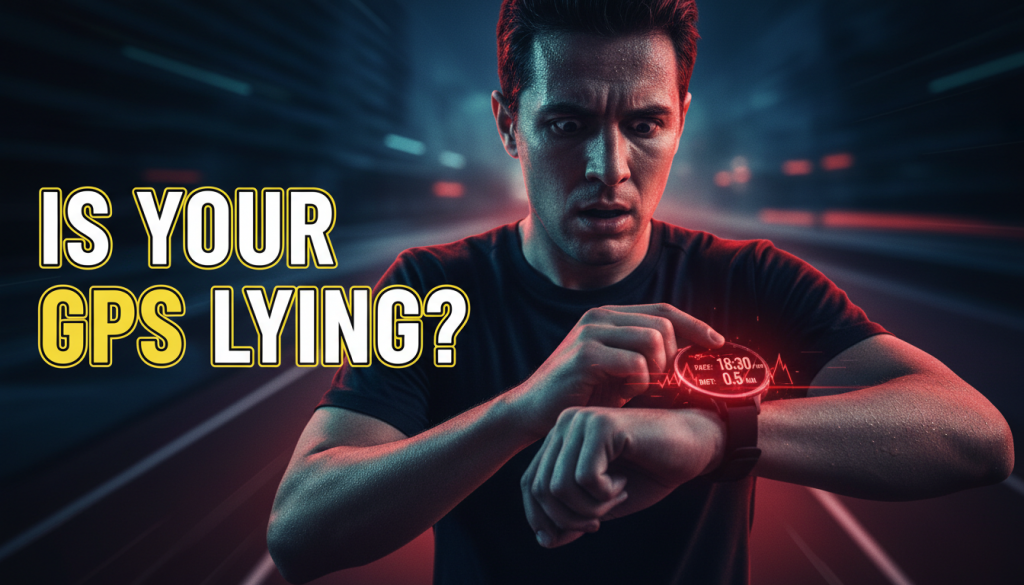
If you’ve ever finished a run feeling strong, only to have your watch tell you that you’re “detraining” or that your recovery is “poor,” you’ve probably wondered: is Your Watch Quietly Sabotaging the way you train?
Modern GPS watches and fitness wearables promise smarter training, better pacing, and data-driven decisions. But as the latest tech news shows, if you don’t understand what your watch is really doing, it can undermine your motivation, mislead your training, and even let you down on race day.
This week’s updates from Garmin and Apple reveal exactly how your devices might be helping—or quietly hurting—your performance. Let’s break down what matters, and how to turn your watch into a training ally instead of a saboteur.
Table of Contents
- Is Your Watch Quietly Sabotaging Your Training?
- Garmin Vivoactive 5 Beta: Battery Usage That Finally Makes Sense
- Garmin Training Status: Pausing False Detraining
- Garmin Vivosmart 6 Leak: Slim Tracker, Serious GPS Power
- Apple watchOS 26.2: Sleep, Safety, and Smarter Recovery
- How to Use These Updates With Smarter Training Plans
- Conclusion: Make Your Watch Work for You, Not Against You
Is Your Watch Quietly Sabotaging Your Training?
Your GPS watch is supposed to guide you toward better performance. But in reality, many runners are unknowingly training around the quirks and blind spots of their devices.
Sometimes, Your Watch Quietly Sabotaging your efforts looks like:
- Ending long runs early because you’re anxious about battery life.
- Feeling guilty about rest days when your watch screams “detraining.”
- Trusting sleep scores or recovery metrics that don’t match how you actually feel.
- Letting glitchy GPS tracks convince you you’re slower or less consistent than you are.
The latest news from Garmin and Apple is a sign that companies know this is a problem. They’re giving runners more control over battery usage, training status, sport modes, and sleep insights. Used well, these updates can stop Your Watch Quietly Sabotaging your confidence and turn it into a reliable coach’s assistant.
Garmin Vivoactive 5 Beta: Battery Usage That Finally Makes Sense
What Changed: Detailed Battery Usage Tracking
About four days ago, Garmin rolled out a beta software update (version 16.11) for the Vivoactive 5 that fundamentally changes how you see battery life. Instead of a vague “x days remaining” estimate, you now get a detailed breakdown of what’s eating your battery.
The watch can show you how much charge is being used by:
- GPS workouts
- Always-on display
- Notifications and connectivity
- Music playback
- Health and sleep monitoring
This might sound like a small tweak, but it tackles one of the biggest ways Your Watch Quietly Sabotaging your long-run or race plans: battery anxiety and unpredictability.
Why This Matters for Runners
Every marathoner knows someone whose GPS watch died at kilometer 35. If you’ve ever shortened a long run because your watch was at 15%, that’s Your Watch Quietly Sabotaging your consistency.
With precise usage tracking, you can:
- Estimate battery impact of a 2–3 hour long run with GPS + music.
- Decide if you can keep always-on display during a Half Marathon or need to switch to gesture-only.
- See whether constant notifications are worth the hit to battery life.
- Plan a full race weekend without guessing if you need mid-day charging.
This transparency turns a black box into a planning tool. Instead of letting Your Watch Quietly Sabotaging your mental game before a race, you can dial in settings that fit your exact event length.
Practical Tips: Stop Battery From Dictating Your Training
Use this new update to build your own battery strategy:
- Before your longest run: Do a test run at race pace with the exact settings you plan to use (music, GPS mode, display, notifications) and log how much battery you lose per hour.
- For race day: Switch off non-essentials—smart notifications, unused sensors, and excessive backlight—to preserve enough charge for your full event.
- For daily training: Keep health monitoring on, but decide whether music from the watch is worth the extra charging.
The goal is to stop Your Watch Quietly Sabotaging your program by forcing compromises. Battery should adapt to your training, not the other way around.
Garmin Training Status: Pausing False Detraining
The Update: You Can Now Pause Training Status
Another recent Garmin change tackles a more subtle problem: misleading training labels. Training Status looks at VO₂ max trends, training load, and intensity, then tags your status as Productive, Maintaining, or Detraining.
Until now, if you took a holiday break, taper week, or recovery block, your watch might scream “Detraining” or “Unproductive,” even when that rest was exactly what your program called for.
Garmin now allows you to pause Training Status. Workouts are still recorded, but they’re excluded from long-term trend analysis while the feature is paused.
How “Detraining” Can Quietly Undermine Your Confidence
Static algorithms don’t understand context. They don’t know if:
- You just ran a brutal race and are taking 10 easy days.
- You’re in a taper phase before a big Marathon.
- You’re intentionally cutting volume to avoid injury.
When Your Watch Quietly Sabotaging your recovery by labeling smart rest as failure, it can pressure you into adding junk miles, skipping rest days, or pushing intensity prematurely.
When to Pause Training Status (And When Not To)
Use this new feature strategically:
- Pause it during:
- Post-race recovery weeks
- Planned time off for holidays or travel
- Injury or niggle management blocks
- Deload weeks in periodized training
- Keep it active during:
- Base-building phases
- Specific race-prep blocks
- Speed or threshold-focused cycles
Use your training plan as the primary guide; Training Status should confirm your direction, not dictate it. If you notice Your Watch Quietly Sabotaging your discipline with guilt or confusion, that’s a sign to pause it or at least mentally downgrade how much weight you give those labels. (Run by feel)
Pro Tip: Pair Training Status With a Real Plan
Algorithmic labels become more meaningful when they sit on top of a structured plan, not in place of one. A solid program—whether for 5K or marathon—can decide the right volume and intensity, while Training Status is just feedback on how your body’s responding.
If you’re following a data-driven AI Dynamic Plan , you can use Garmin’s metrics as one of many inputs, not the sole decision-maker. That way, Your Watch Quietly Sabotaging your training with occasional odd labels won’t throw your whole plan off course.
Garmin Vivosmart 6 Leak: Slim Tracker, Serious GPS Power
The Leak: Built-In GPS and 30+ Sport Modes
Leaked details from Garmin’s Indonesian site point to a big step up for the upcoming Vivosmart 6. Expected around CES 2026, this slim fitness band appears to add:
- Built-in GPS (no phone needed for accurate distance and pace)
- More than 30 sport modes—over double the Vivosmart 5’s 14
- Support for running, cycling, swimming, wheelchair sports, and more
This is a significant shift from “casual tracker” to “serious training tool” territory.
Why This Matters If You Hate Bulky Watches
Not every runner wants a chunky multi-sport watch. A lot of people prefer a low-profile band for daily wear, but they still want accurate GPS and workout tracking.
Here’s how the Vivosmart 6 could stop Your Watch Quietly Sabotaging your consistency:
- Phone-free runs: No more relying on your phone’s GPS or worrying about carrying it on every session.
- Better adherence: If your watch is comfortable and attractive enough to wear 24/7, you’re more likely to keep consistent with health metrics like HRV, steps, and sleep.
- Adaptive training: Expanded sport modes are huge for cross-training, rehab, or multi-sport athletes rotating between cycling, swimming, and strength.
Too often, Your Watch Quietly Sabotaging your training is simply a usability problem. An uncomfortable, bulky device ends up left on a nightstand during key workouts. A slim tracker with proper GPS could reverse that for many runners.
Who the Vivosmart 6 Might Be Best For
If the leak is accurate, the Vivosmart 6 becomes compelling for:
- New runners: Who want real GPS pace and distance without committing to a high-end watch.
- City runners: Who combine running with commute or errands and don’t want a heavy wrist presence.
- Multi-sport athletes: Who need soccer, yoga, cycling, or pool swim profiles without full triathlon watch pricing.
- Adaptive athletes: For whom wheelchair-specific or adapted modes matter for tracking meaningful effort.
Paired with a structured plan—from 5K up to marathon—the right hardware can reduce friction. Instead of Your Watch Quietly Sabotaging your willingness to wear it, the Vivosmart 6 aims to blend in and support you quietly in the background.
Apple watchOS 26.2: Sleep, Safety, and Smarter Recovery
The Update: Refined Sleep Score and Enhanced Safety Alerts
Apple’s watchOS 26.2, released mid-December, is a more subtle but important update for runners who live in the Apple ecosystem. It adds:
- More realistic sleep score classifications
- Improved Emergency Alerts reliability
- “Enhanced Safety Alerts” for better emergency response behavior
- Fixes for issues in the Music app
On the surface, this sounds like wellness fluff and safety polish. But for endurance runners, it cuts directly into two hidden ways Your Watch Quietly Sabotaging your training: misjudged recovery and safety blind spots.
Sleep Scores: When “Good” Isn’t Good Enough
Many runners have felt this disconnect: your watch says your sleep was “good,” but you wake up foggy, sluggish, and your workout feels flat. Or you get a mediocre sleep score but smash your intervals anyway.
Refining sleep score classification is Apple’s attempt to align the numbers more closely with reality. While no wearable can perfectly measure sleep stages, more nuanced scoring can help avoid:
- Overconfidence after “great” sleep that was actually restless.
- Unnecessary worry from “poor” scores on nights that weren’t that bad.
- Overreliance on a single metric instead of how you feel plus your training plan.
If you’ve let a blunt sleep score talk you into skipping key workouts or pushing when you’re clearly tired, that’s Your Watch Quietly Sabotaging your intuition.
How Runners Should Use Sleep Metrics
Think of sleep scores as a second opinion, not a verdict: (Watch helping or hurting)
- Look for trends, not single nights: Two or three poor nights in a row might justify shifting a hard session, while one off night may not.
- Pair with how you feel: Rate your morning energy (1–5) alongside the sleep score; if they regularly disagree, trust your body more.
- Use them to guide recovery days: If your schedule is flexible, swap hard and easy days based on sleep trends and how your legs feel.
Used this way, watchOS 26.2 makes it less likely that Your Watch Quietly Sabotaging your plan with misleadingly rosy or harsh sleep labels.
Enhanced Safety Alerts: Quiet Risk, Loud Protection
Runners don’t always think about safety…until something happens. Better Emergency Alerts and enhanced safety functionality matter in practical scenarios:
- Running pre-dawn in dark urban areas
- Trail runs far from phone coverage
- Winter conditions with ice, low visibility, or extreme cold
- Travel runs in unfamiliar cities
If you’ve ever hesitated to explore a new route because no one knew where you were, Your Watch Quietly Sabotaging your training might be fear and uncertainty. Robust safety alerts, fall detection, and reliable emergency communication let you choose routes based on training needs, not just perceived danger.
Combine that with refined sleep and recovery insight, and the Apple Watch becomes less of a distraction and more of a holistic training support device.
How to Use These Updates With Smarter Training Plans
Technology Is a Tool, Not a Training Plan
The common thread across these stories is control. Garmin and Apple are gradually handing more control back to you—over battery, training labels, sport modes, sleep, and safety.
But here’s the critical point: none of these features is a substitute for a structured, goal-driven training plan. The most common way Your Watch Quietly Sabotaging your running is when you confuse “more data” with “better training.”
Pair Your Watch With Adaptive Coaching
A good plan does what your watch can’t:
- Aligns training load with your race goals and timeline.
- Builds in deloads and recovery weeks that won’t always look “Productive” to your watch.
- Puts workouts in the right order so you absorb hard sessions instead of piling fatigue.
When you pair your watch’s data with an adaptive framework—like an All Plans library or a coach-informed schedule—you can treat metrics as companions instead of commanders. That flips the script on Your Watch Quietly Sabotaging your decision-making.
Practical Integration Tips
To get the most out of these updates, try this workflow:
- Start with the plan: Decide your weekly mileage, key workouts, and goal race before worrying about watch metrics.
- Configure your device per phase:
- During base: focus on time in zone and volume; less emphasis on Training Status labels.
- During race-specific prep: ensure accurate GPS, battery planning, and consistent sleep tracking.
- During taper: consider pausing Training Status to avoid false detraining messages.
- Review, don’t obsess: Once or twice a week, glance at trends: VO₂ max, training load, sleep averages, and resting heart rate.
That way, Your Watch Quietly Sabotaging your mental game with daily fluctuations becomes far less likely. You anchor your decisions in the plan, not in single metric swings.
Conclusion: Make Your Watch Work for You, Not Against You
Today’s watch updates—from Garmin’s battery transparency and Training Status pause to the Vivosmart 6 leak and Apple’s refined sleep and safety features—are all pushing in the same direction: more control, more context, and fewer ways of Your Watch Quietly Sabotaging your progress.
Used wisely, your GPS watch can:
- Protect your long-run and race-day battery instead of cutting workouts short.
- Support guilt-free recovery instead of punishing smart rest.
- Fit seamlessly into your life so you actually wear it consistently.
- Offer realistic sleep and safety insights that enhance, not replace, your judgment.
The final step is yours: pair this tech with a clear, structured path to your next goal. Whether you’re targeting a new 5K PB, a breakthrough half, or your strongest marathon yet, your training plan should be the boss—and your watch the assistant, not the saboteur.
Call to action: Audit your current setup. Update your device, review your battery and training-status settings, and align them with a clear goal and plan. Then, let your watch support you—without letting it run the show.

One Response