
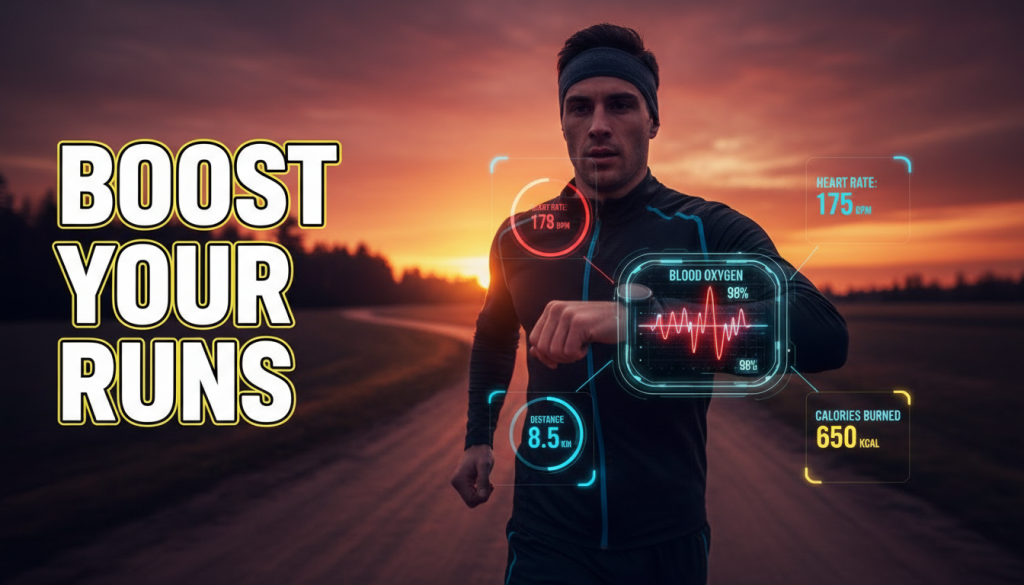
Apple Watch Blood Oxygen tracking is stepping back into the spotlight—and just in time for a new era of running wearables. With a major legal hurdle finally cleared, Apple can once again lean into one of its most powerful performance metrics: on‑wrist SpO₂ (blood oxygen saturation). For runners, that means deeper insights into effort, altitude, and recovery—right from the wrist you already use to track your miles.
At the same time, Garmin, Amazfit, and other brands are raising the stakes with brighter screens, tougher builds, and smarter GPS. The race for your running wrist has never been more competitive—or more useful for your training.
Table of Contents
- 1. Apple’s Blood Oxygen Ban Is Over: What Changed?
- 2. Why Apple Watch Blood Oxygen Matters for Runners
- 3. Inside Apple’s Legal Victory and What Comes Next
- 4. Amazfit Cheetah 2 Pro: A New Challenge to Garmin and Apple
- 5. Apple’s London Marathon Partnership: A Signal to Serious Runners
- 6. How to Use Blood Oxygen Data in Your Training
- 7. RunV Tips: Matching Wearables With Smart Training
- 8. Conclusion & Call to Action
1. Apple’s Blood Oxygen Ban Is Over: What Changed?
From legal limbo to full SpO₂ comeback
For U.S. runners using newer Apple Watches, blood oxygen tracking has been in a strange half-life. Due to an International Trade Commission (ITC) ruling tied to Masimo’s pulse oximetry patents, Apple had to restrict or disable the full Apple Watch Blood Oxygen display on models like the Series 9 and Ultra 2 sold in the United States.
That changed on April 17, 2026. The ITC lifted the restrictions, meaning Apple is now free to restore full SpO₂ functionality on its U.S. watches. According to reporting from Tom’s Guide, this decision effectively reopens the door for on‑device blood oxygen readings that had been blocked or hidden from many users.
TechRadar adds that Apple sees this as the end of a “relentless legal campaign” against the Apple Watch. With the appeal road now closed for Masimo, Apple’s path is clear: blood oxygen is back on the wrist, and likely here to stay.
What this means for your current Apple Watch
If you already own a Series 9 or Ultra 2 in the U.S., the most likely scenario is a software update that quietly restores your Apple Watch Blood Oxygen app and data views. Apple hasn’t detailed timing yet, but nothing in the ruling prevents them from effectively re‑enabling what the hardware has always been capable of.
Possible changes include:
- Reactivated Blood Oxygen app with on‑demand readings
- Background SpO₂ measurements during rest and sleep
- Restored charts in the Health app showing highs, lows, and trends
- Deeper integration with training and recovery metrics
For runners, that’s more than a convenience—it’s a significant upgrade in how you interpret your training load and recovery state across a training cycle.
2. Why Apple Watch Blood Oxygen Matters for Runners
SpO₂ as a window into oxygen delivery
Apple Watch Blood Oxygen tracking uses optical sensors on the back of the watch to estimate your blood oxygen saturation. Most healthy people at sea level will sit around 95–100% at rest. For runners, watching how that number shifts during hard workouts, illness, or altitude changes can be highly informative.
Key running-related uses include:
- Altitude adaptation: On trail runs or mountain races, SpO₂ helps you see how your body is handling thinner air.
- Illness and fatigue monitoring: Sudden drops or unusually low overnight averages can flag that your body is under extra stress.
- Recovery insights: Coupled with heart rate and sleep data, blood oxygen trends can help confirm when you’re ready to push intensity again.
It’s not a medical device, but for training decisions—especially in a marathon or ultra build—it’s a powerful context layer.
During runs vs. overnight trends
For day‑to‑day training, you’ll likely get the most practical value from two patterns:
- Overnight SpO₂ trends: Useful for spotting slow-building issues like poor sleep quality, respiratory problems, or the impacts of travel and altitude.
- Post‑effort snapshots: Checking Apple Watch Blood Oxygen a few minutes after finishing a hard session can reveal how quickly you’re returning to your usual baseline.
Instead of obsessing over a single number mid‑run, treat SpO₂ as a pattern. If your typical 97–99% starts hovering at 92–94% at night for several days—especially alongside heavy fatigue—that’s a sign to back off intensity and focus on recovery.
Safety for altitude and trail runners
Trail, mountain, and stage‑race runners stand to gain even more. At altitude, oxygen saturation naturally drops. Being able to glance at your wrist and see how low you’re dipping can inform pacing decisions, rest breaks, and even whether you should descend.
Combine Apple Watch Blood Oxygen readings with perceived exertion: if a pace that normally feels easy suddenly feels like a VO₂ max interval and your SpO₂ is lower than usual, your body is telling you something important.
3. Inside Apple’s Legal Victory and What Comes Next
A long-running dispute comes to an end
The Masimo vs. Apple battle has dragged on for years, culminating in partial bans on certain Apple Watch models in the U.S. over alleged pulse oximetry patent violations. To avoid a full sales halt, Apple essentially “switched off” or limited blood oxygen features on U.S. devices while legal proceedings played out.
TechRadar reports that in April 2026 the ITC declined to revive appeals that might have reinstated restrictions. Practically, that means regulators are done intervening—Apple is free to turn its full SpO₂ feature set back on and design new watches without fear of sudden bans.
What this signals for future Apple Watches
With the legal cloud gone, Apple can now safely invest in and market Apple Watch Blood Oxygen as a flagship health feature again. Expect:
- Refined algorithms tuned for athletes and outdoor conditions
- Closer integration with training load, VO₂ max, and race‑prep features
- Potential combined metrics (e.g., SpO₂ plus heart rate variability) for readiness scores
Given Apple’s new, higher‑profile running partnerships (more on the London Marathon below), it’s reasonable to expect that upcoming watchOS updates will weave SpO₂ into more training tools, not just health dashboards.
4. Amazfit Cheetah 2 Pro: A New Challenge to Garmin and Apple
Garmin-level hardware at a friendlier price
While Apple was fighting in the courtroom, Amazfit has been busy fighting for your wrist. The new Amazfit Cheetah 2 Pro is a high‑end, running-focused smartwatch that looks squarely aimed at Garmin’s Fenix line and Apple’s Ultra series.
According to T3, the Cheetah 2 Pro features: (Apple Blood Oxygen app)
- A titanium case for strength without excess weight
- A sapphire lens to resist scratches on trails
- An ultra‑bright 1.32″ AMOLED display up to 3,000 nits
- A built‑in LED flashlight for night running and emergencies
Those specs mirror many of the talking points for Garmin’s Fenix 8 and Apple’s Ultra 3—durable materials, high‑brightness screens, and safety‑oriented features—likely at a significantly lower price.
Why this matters for your next watch upgrade
For runners, this intensifying competition is good news. Brands like Amazfit are forcing Garmin and Apple to stay aggressive on features and pricing, especially in the performance‑runner segment rather than general wellness.
If you’re weighing a new GPS watch, the Cheetah 2 Pro belongs in the conversation alongside Garmin, Apple, and Coros. For a broader view on how these rivalries are reshaping the market, it’s worth reading Garmin, Amazfit and the New Race for Your Running Wrist, which dives deep into how these brands are targeting serious runners specifically.
The bigger pattern: budget and mid‑range getting smarter
One of the more interesting trends is how quickly mid‑priced and “budget premium” wearables are catching up on core performance features: dual‑band GPS, recovery suggestions, training plans, even running power.
If you’re wondering whether you really need an Apple Watch Ultra or Garmin Fenix anymore, you’re not alone. Devices like the Cheetah 2 Pro suggest that, for many runners, the sweet spot might shift down the price ladder. You can explore this dynamic further in Are Budget Wearables Quietly Getting Smarter Than Your Watch?, which looks at how much performance you can now buy without going all‑in on top‑tier models.
5. Apple’s London Marathon Partnership: A Signal to Serious Runners
From lifestyle brand to performance partner
Apple’s new role as the Official Performance Technology Product Partner of the 2026 TCS London Marathon is more than a logo deal. For one of the world’s marquee marathons to align itself with Apple Watch is a clear nod that Apple wants to be recognized as a serious performance tool, not just a lifestyle accessory.
Tom’s Guide notes that this follows a wave of runner‑specific enhancements: the 42‑hour battery life on Ultra 3, improved GPS accuracy, and new lap button options tailored for workouts and races.
What this could mean for future running features
Putting Apple Watch on such a big stage raises expectations that Apple will continue improving:
- GPS and route handling: More reliable lock‑ons in cities, better course guidance, smarter auto‑lap.
- Battery for long races: Multi‑day endurance mode for ultras and stage races.
- Race‑centric tools: Pacing strategies, negative‑split coaching, and integrated course elevation previews.
Critically, Apple Watch Blood Oxygen can dovetail nicely with these race‑oriented features—especially for city marathons with variable conditions or hilly courses where cardiovascular strain fluctuates substantially.
How this partnership benefits runners now
Even before any new watchOS features ship, runners can expect tighter integrations around the London Marathon: official event apps optimized for Apple Watch, better real‑time tracking for supporters, and possibly curated training plans that sync directly to your wrist.
If you’re building toward a marathon, knowing how to adapt your plan around data like fatigue, sleep, and SpO₂ can be crucial. For guidance on smart adjustments, see How to Modify a Marathon Plan: 7 Proven, Powerful Steps, which pairs well with the richer health data modern watches provide.
6. How to Use Blood Oxygen Data in Your Training
Step 1: Establish your personal baseline
Before you make decisions based on Apple Watch Blood Oxygen, you need a baseline. For 7–10 days, avoid making big changes to training solely based on SpO₂. Instead:
- Wear your watch consistently overnight.
- Note your typical overnight low and average.
- Take a few readings at rest during the day (same time, similar conditions).
Once you know your “normal,” you’ll be better positioned to spot genuine red flags.
Step 2: Watch for patterns, not single bad numbers
A single low reading can be noise—poor strap fit, cold hands, or minor motion. More meaningful are:
- Multi‑day downward trends in overnight averages
- Consistent low values during rest despite feeling fatigued
- Sharp drops when you travel to altitude
When trends line up with heavy training blocks, poor sleep, or illness, treat that as a signal to reduce volume and intensity temporarily. (Apple blood oxygen update)
Step 3: Integrate SpO₂ with effort levels and training structure
SpO₂ data is most powerful when viewed alongside perceived exertion and heart rate. If easy runs start feeling hard, your heart rate is higher than normal, and your Apple Watch Blood Oxygen readings are slightly lower for several nights in a row, your training load might be outpacing your recovery.
Runners moving from basic “just run” plans to more data‑driven training can benefit from learning structured effort levels and how metrics like SpO₂ fit into the picture. Articles such as “Why Beginners Should Learn 5 Essential, Proven Effort Levels” (on RunV) are great companions to this data‑rich approach.
Step 4: Use altitude data to guide pacing, not just toughness
At altitude, your ego might tell you to hit sea‑level paces. Your body will disagree. Use Apple Watch Blood Oxygen as an objective check. If saturation drops and doesn’t recover well overnight:
- Lower your target paces for quality sessions.
- Increase rest between hard days.
- Monitor how quickly SpO₂ rebounds when descending or tapering.
This is where smart, adaptive planning—and not blindly chasing paces—prevents overreaching, especially in peak blocks before key races.
7. RunV Tips: Matching Wearables With Smart Training
1. Let your watch inform, not dictate
Apple Watch Blood Oxygen, training load scores, and readiness metrics are tools—not judges. They should nudge your decisions, not overrule your own body’s feedback. If your numbers look “fine” but you feel wrecked, listen to your body first.
At the same time, data can spotlight dangerous patterns like ramping training load too quickly. For a reality check on progression pitfalls, see Running Mileage Progression Mistakes: 7 Shocking Proven Risks, which explains how even data‑savvy runners sometimes overdo it.
2. Pair metrics with adaptive, consistency‑focused plans
Whether you run with Apple, Garmin, or Amazfit, you’ll get the most out of your watch by pairing it with a flexible, consistency‑first training philosophy. A good framework:
- Base most weeks around repeatable, sustainable mileage.
- Use health metrics (SpO₂, HRV, sleep, resting HR) to adjust the 10–20% of sessions that are hard.
- Aim for long-term streaks of “good enough” weeks rather than occasional superhero weeks.
This is where tools like RunV can help, turning those raw numbers into intelligent adjustments rather than manual guesswork.
3. Choose your ecosystem with your racing goals in mind
Now that Apple Watch Blood Oxygen is fully back, the biggest differentiators between ecosystems will likely be:
- Battery life: Critical for ultras or back‑to‑back long days.
- Navigation: Turn‑by‑turn on trails, off‑course alerts, mapping detail.
- Training tools: Native workouts, race predictors, and integration with coaching platforms.
Apple’s London Marathon deal suggests more race‑centric tools are coming. Garmin remains strong on training load and long‑distance reliability. Amazfit is pushing aggressive value in premium‑looking hardware. Align your choice with your next big goal, whether that’s a 10K PR or a mountainous ultra.
8. Conclusion & Call to Action
With the Apple Watch blood oxygen ban lifted, runners in the U.S. finally regain full access to one of the most useful non‑medical metrics on the wrist. Apple Watch Blood Oxygen tracking can’t diagnose illness, but it can sharpen your awareness of how hard you’re pushing, how well you’re adapting to altitude, and whether your recovery is on track.
At the same time, Amazfit is pushing premium running hardware at disruptive prices, and Apple’s London Marathon partnership is a clear signal that it wants to stand toe‑to‑toe with Garmin in the performance running arena. The next year or two of updates—especially around training load, navigation, and integrated race tools—could redefine what a “runner’s watch” looks like.
Your next step isn’t just upgrading your device—it’s upgrading how you use it. Start by:
- Establishing your SpO₂ and heart rate baselines over the next 1–2 weeks.
- Using trends, not single numbers, to guide adjustments in training.
- Matching your wearable choice to your race goals and terrain, not just brand loyalty.
If you want your watch data to translate into better race outcomes, faster gains, and fewer injuries, pair it with a smart, adaptive training structure rather than running blind. Explore more on how wearables and structured plans can work together in RunV’s guides—and then put your wrist tech to work on your very next run.