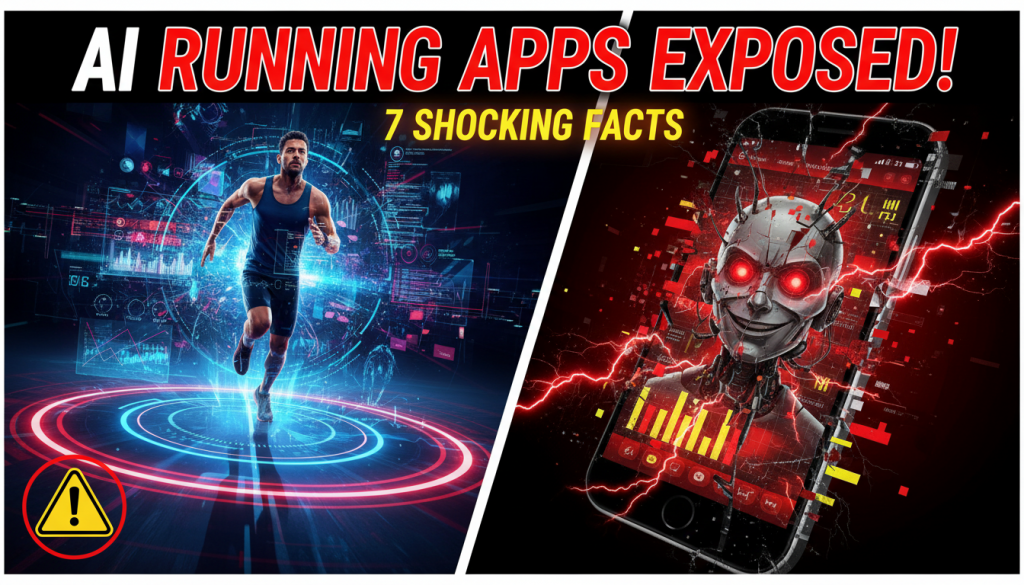
If you’ve ever finished a run and wondered, “How on earth did my watch say that was 5.3 miles when it’s a marked 5K?” you’re not alone. As AI‑powered training platforms explode in popularity, more runners are asking: Are AI Running Apps Really Accurate? Or are we blindly trusting pace, distance, and calorie numbers that are, at best, educated guesses?
Below, we’ll unpack what’s really going on under the hood, where AI running apps shine, where they fail, and how you can use them without getting misled—or injured.
—
Table of Contents
- What “Accuracy” Even Means in AI Running Apps
- Shocking Fact #1 – GPS Distance Can Be Off by 3–10% on Everyday Runs
- Shocking Fact #2 – Pace Readings Jump Because of Math, Not Just Bad Signal
- Shocking Fact #3 – AI Heart Rate Zones Are Often Guesswork (Until You Fix Them)
- Shocking Fact #4 – Calorie Estimates Can Be Wrong by Hundreds of Calories
- Shocking Fact #5 – AI Training Plans Can Be More Accurate Than Human‑Written Ones
- Shocking Fact #6 – AI Gets Smarter When You Feed It the “Right” Data
- Shocking Fact #7 – The Most Accurate Metric Isn’t Distance or Pace
- So, Are AI Running Apps Really Accurate? A Runner’s Reality Check
- How to Use AI Running Apps Without Getting Burned
- When to Trust the App vs. Your Body
- The Future: Will AI Running Apps Ever Be “Perfectly” Accurate?
- Key Takeaways
—
What “Accuracy” Even Means in AI Running Apps
Before we can decide if AI Running Apps Really Accurate? is a fair question, we need to define “accurate.” There are at least five different things runners care about:
- Distance (how far you actually ran)
- Pace (how fast per mile or kilometer)
- Time in heart rate zone (how hard you worked)
- Calories burned or “effort score”
- Training recommendations (what the app tells you to do next)
Most apps combine:
- Raw data: GPS, accelerometer, heart rate, sometimes power
- Algorithms: smoothing, averaging, error correction
- AI/ML layers: predicting fatigue, adjusting plans, detecting patterns
Accuracy varies wildly depending on which of these you’re talking about. Distance may be “good enough,” while calorie estimates are borderline fiction. The training plan might be smarter than a static PDF plan, yet your instant pace might still be trash on a tree‑lined trail.
—
Shocking Fact #1 – GPS Distance Can Be Off by 3–10% on Everyday Runs
For many runners, the first way we judge if AI Running Apps Really Accurate? is by looking at distance. That finish line marker says “5K,” but your app logs 4.78 km one day and 5.4 km the next. What’s going on?
Why GPS Is Inherently Imperfect
GPS watches and phones calculate your position from satellites every second or so. Then they draw straight lines between those points. That sounds fine—until you:
- Run tight turns (the device cuts corners)
- Run in cities or under trees (signal bounces or drops)
- Run on tracks (circles get approximated into polygons)
Even very good devices commonly show 1–3% error on clear suburban routes and up to 5–10% in cities, canyons, or heavy tree cover.
On a 10K, 3% error is 300 meters. On a marathon, 3% is over 1.2 km.
Track and Treadmill: Where Apps Really Struggle
On a 400 m track, GPS can:
- Shorten bends, making laps look 370–390 m
- Wobble from lane to lane, giving 420–450 m laps
On treadmills, many apps don’t have real distance data at all unless:
- The treadmill broadcasts speed via Bluetooth
- You manually enter the distance
Otherwise, apps often infer distance from your arm swing, which can be wildly inaccurate if you hold onto the rails or change your stride.
Bottom line: For race results, your watch isn’t the final authority. Official course measurement wins. Use GPS distance as a solid estimate, not gospel.
—
Shocking Fact #2 – Pace Readings Jump Because of Math, Not Just Bad Signal
Instant pace is one of the biggest reasons people question: Are AI Running Apps Really Accurate? That 5:30 min/km suddenly spikes to 4:20 or drops to 7:00, even when your effort feels the same.
Instant Pace vs. Lap Pace vs. Average Pace
Most apps offer at least three pace views:
- Instant pace – based on the last few seconds of data
- Lap pace – average pace for the current kilometer/mile
- Average pace – average pace for the entire run
Instant pace is extremely sensitive to small GPS errors. A tiny change in recorded distance over a few seconds can make it jump by 30–60 seconds per kilometer.
Lap pace and average pace are more stable because they average the noise out.
The AI Layer: Predictive Smoothing and Pace Estimation
Modern AI running apps sometimes try to “fix” this erratic behavior:
- They smooth GPS data using filters and past movement patterns.
- Some use accelerometer data to predict your motion between GPS points.
- A few even estimate pace using cadence and stride length when GPS drops.
That sounds smart, but it can introduce its own quirks, especially if:
- Your stride changes significantly on hills.
- You sprint briefly, then slow, and the smoothing lags behind.
- You change surfaces (grass vs. asphalt) mid‑run.
How to get the most useful pace number:
For workouts, use lap pace (e.g., 1 km or 0.5 mile laps) instead of instant pace. It’s far more stable and practically more useful.
—
Shocking Fact #3 – AI Heart Rate Zones Are Often Guesswork (Until You Fix Them)
AI platforms love heart rate data. It’s central to how many apps decide if you’re training “easy” or “too hard.” So when you ask: Are AI Running Apps Really Accurate? heart rate zones are a crucial part of the answer.
The Guess: Age‑Based Formulas
Many apps start by guessing your max heart rate (HRmax) using simple formulas like:
220 – age208 – (0.7 × age)
Then they divide this number into zones (e.g., Zone 2 is 60–70% of HRmax).
The problem? Real runners vary massively. Research shows common formulas can be off by 10–15 beats per minute or more. That means:
- Your “easy” Zone 2 run might actually be Zone 3–4 (too hard).
- Your threshold workouts might be way too easy.
Sensor Accuracy: Wrist vs. Chest Strap
Even if your zones are perfect, the measurement can be wrong:
- Wrist optical sensors struggle with cold weather, tattoos, darker skin tones, motion, and loose straps.
- Chest straps are generally far more accurate for running, especially intervals.
AI can flag anomalies (e.g., 190 bpm during your warm‑up jog), but it can’t magically fix consistent bad sensor data.
How to Make Heart Rate Zones Truly Useful
To make your AI running app far more accurate:
- Do a proper field test (e.g., finishing a 3K or 5K all‑out) to estimate HRmax.
- Use a chest strap for key workouts.
- Manually update your HR zones in the app settings.
Once your HRmax and resting HR are dialed in, adaptive plans built around zones can suddenly become much more trustworthy. If you’re curious how this ties into modern AI plans, it’s worth looking at how AI Dynamic Plan systems adjust your training based on heart rate, fatigue, and performance trends in real time.
—
Shocking Fact #4 – Calorie Estimates Can Be Wrong by Hundreds of Calories
Many people start running to lose weight, so calories become a big part of judging: Are AI Running Apps Really Accurate? Unfortunately, calorie numbers are some of the least accurate outputs—even in advanced apps.
Why Calorie Estimates Are So Messy
Most platforms estimate calories from:
- Body weight, age, and gender
- Distance covered and elevation
- Sometimes heart rate
But they rarely account for:
- Individual variations in efficiency (some runners burn more, some less)
- Running economy changes as you get fitter
- Temperature and wind (heat and cold change energy demand)
Studies show generic calorie formulas can be off by 10–30%. On a 10K, that could mean a 100–250 calorie error. Over a week of training, that adds up.
Heart Rate Doesn’t Fix Everything
Heart rate–based calorie calculations can tighten the estimate slightly, but they still assume:
- Your heart responds “typically” to effort.
- You’re not dehydrated, stressed, or heavily caffeinated.
In other words, even with AI and heart rate, calorie counts should be seen as a rough range, not a precise measurement.
How to use calories wisely:
Treat app calorie numbers as ballpark values. Use them for trend tracking (e.g., you’re burning more weekly as you increase volume), not to justify eating exact extra snacks.
—
Shocking Fact #5 – AI Training Plans Can Be More Accurate Than Human‑Written Ones
Here’s where the conversation about whether AI Running Apps Really Accurate? gets interesting. While distance or pace might be off by a few percent, AI‑driven training plans can actually be more “accurate” than many static plans you find online.
Static Plans Assume a Robot. You’re Not a Robot.
Traditional PDF plans assume:
- You never get sick.
- You sleep well; stress is constant.
- Every week goes exactly as scheduled.
Reality:
- You miss long runs.
- Work loads spike unexpectedly.
- You feel unusually tired some weeks.
Static plans can’t adjust. So even if the initial mileage and paces are well‑designed, they become increasingly inaccurate as they drift away from your actual capacity and life schedule.
Where AI Plans Get It Right
AI‑driven systems can:
- Adjust future sessions when you miss a run.
- Lower intensity after several hard days or poor sleep.
- Change paces based on your recent workouts or races.
This makes the prescription—what you do tomorrow and next week—more accurate relative to your real‑world state.
For example, if you’re rebuilding after a tough race or a heavy training block, using a flexible structure (like those described in Half Marathon Training Plan: 7 Proven Ways to Bounce Back) can help you avoid overtraining while still progressing.
But AI Plans Are Only as Good as Their Inputs
If you:
- Ignore RPE (rate of perceived exertion) prompts.
- Never log fatigue or sleep quality.
- Use wildly inaccurate heart rate data.
…then even the smartest AI training engine will be working with garbage. The plan may still be safer than a static one, but it won’t reach its full potential.
—
Shocking Fact #6 – AI Gets Smarter When You Feed It the “Right” Data
To truly answer “Are AI Running Apps Really Accurate?” you need to see them as something you collaborate with, not a black box that magically knows everything from day one.
Data Types That Actually Improve Accuracy
Some data points are far more powerful than others:
- Consistent run logs – date, distance, time for every run.
- RPE or effort rating – how hard it felt on a 1–10 scale.
- Occasional time trials or races – 5K, 10K, etc., to benchmark fitness.
- Basic wellness markers – sleep quality, soreness, illness.
When AI sees patterns—like your pace at a given HR improving—it can recalibrate your zones and training load more precisely.
Where People Commonly Sabotage Their Own Data
Runners often:
- Forget to log warm‑ups and cool‑downs separately.
- Pause their watch randomly during hard efforts.
- Mark clearly hard runs as “easy” to protect their ego.
This corrupts the dataset, causing the AI to underestimate or overestimate your capacity.
Practical tip: Be honest about intensity. If a supposed “easy” day felt hard, label it that way. Over time, your app’s predictions and suggested paces will improve dramatically.
—
Shocking Fact #7 – The Most Accurate Metric Isn’t Distance or Pace
This might be the most surprising part of the Are AI Running Apps Really Accurate? debate: the single most important metric for training decisions isn’t distance, pace, or even calories.
It’s trend over time.
Why Trends Beat Single‑Run Accuracy
Even if each individual run has minor errors, AI can:
- See if your average weekly volume is trending up or down.
- Spot if your pace at a given HR is improving.
- Notice if your long runs are getting comfortably longer.
In training science, these trends matter more than whether today’s GPS distance was 9.7 km or 10.0 km.
What “Accurate” Looks Like Over Months
An “accurate” training system should:
- Progress your long run distance in sensible steps.
- Balance hard and easy days to avoid burnout.
- Get you to race day able to execute your goal pace realistically.
When you view AI running apps through this lens, accuracy becomes less about perfect GPS and more about the correctness of training decisions. That’s where adaptive, evolving planning tools—and even concepts like those discussed in Why Static Running Plans Fail: 5 Shocking Proven Reasons—start to shine over static schedules.
—
So, Are AI Running Apps Really Accurate? A Runner’s Reality Check
Let’s directly tackle the core question: Are AI Running Apps Really Accurate?
In Terms of Raw Numbers (Distance, Pace, Calories):
- Distance: Often within 1–3% in good conditions; worse in cities, trails, tracks.
- Pace: Instant pace is unreliable; lap and average pace are much better.
- Heart rate: Good with a chest strap; variable with wrist sensors.
- Calories: Rough estimates with a wide error margin.
In Terms of Training Decisions (Plans, Recovery, Progression):
- AI plans can be more accurate than static plans at matching your current fitness and life constraints.
- They can reduce injury risk by adjusting after missed sessions or signs of fatigue.
- They’re excellent at tracking trends—arguably the most important aspect of training accuracy.
This means the real power of AI running apps is less about perfectly measuring today and more about smartly guiding your next week, month, and training cycle.
—
How to Use AI Running Apps Without Getting Burned
If we accept that no system is perfect, how do you use AI tools effectively and avoid the common traps that lead runners to ask: Are AI Running Apps Really Accurate? or just convincing?
1. Calibrate What You Can
- Measure a known flat route (e.g., a bike path with distance markers).
- Compare your app’s distance to the official markers a few times.
- If your device allows it, adjust the distance calibration for treadmill or indoor runs.
2. Lock In Realistic Heart Rate Zones
- Do a 3K–5K hard effort to estimate HRmax.
- Update your HRmax and resting HR in your app.
- Use a chest strap for quality workouts if possible.
3. Use the Right Metrics for the Right Purpose
- For intervals: Use lap pace and time, not instant pace.
- For easy runs: Use heart rate and RPE (easy conversation pace).
- For race strategy: Use recent races or time trials, not just predicted times.
4. Respect the Plan, But Don’t Worship It
If an AI app tells you to do intervals but you’re:
- On 4 hours of sleep
- Fighting off a cold
- Feeling heavy and sore
…downgrade the workout or swap with an easy day. Training load models don’t fully understand your immune system or stress levels. Your body still has the final say.
—
When to Trust the App vs. Your Body
“Are AI Running Apps Really Accurate?” often comes down to knowing when to lean on the numbers and when to override them.
Trust the App More When:
- You’re planning weekly mileage progression (e.g., 10–15% increases).
- You’re scheduling hard/easy patterns (e.g., speed vs. recovery days).
- You’re tracking long‑term trends (pace at given HR, weekly volume).
Trust Your Body More When:
- You feel an unusual pain that worsens as you run.
- You’re unusually exhausted despite “okay” numbers.
- The app insists on pace targets that feel unsustainably hard on a given day.
Think of AI guidance as a smart coach who’s never inside your legs or lungs. It sees patterns you might miss—but it doesn’t feel what you feel.
—
The Future: Will AI Running Apps Ever Be “Perfectly” Accurate?
The tech driving the Are AI Running Apps Really Accurate? conversation is moving quickly.
Emerging Improvements
- Better GPS chips and multi‑band satellite systems for higher positional accuracy.
- Sensor fusion: combining GPS, accelerometers, gyroscopes, barometers, and even camera data.
- Running power metrics to quantify effort in ways that don’t depend solely on pace or HR.
AI will increasingly model:
- Your unique HR response to effort.
- Your personal running economy improvements.
- Your preferred cadence and biomechanics under fatigue.
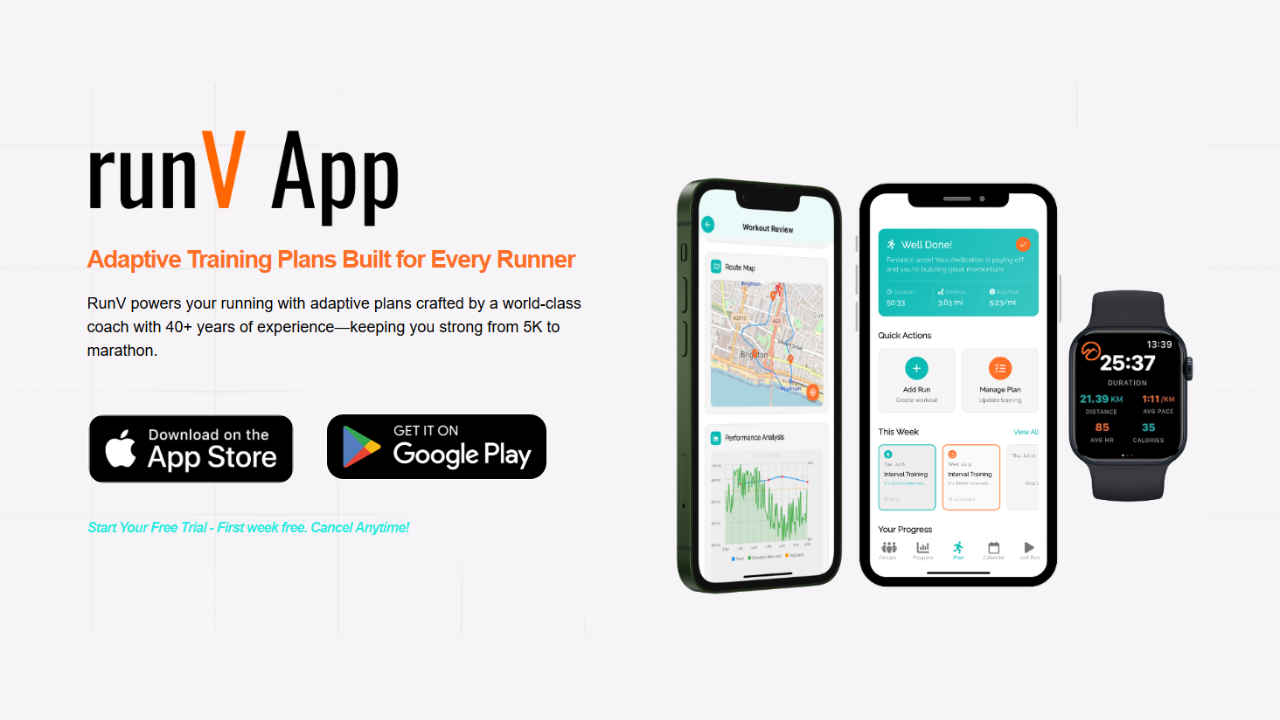
We’re already seeing ecosystems where AI doesn’t just track runs but orchestrates a personalized progression. To see how these ideas are being built into practical tools, explore modern platform features that highlight adaptive workouts, fatigue management, and automated adjustment based on your recent performance.
Still, even with perfect sensors, running is a human activity. Emotions, stress, illness, and motivation will always limit how “complete” digital accuracy can be.
—
Key Takeaways
- The question “Are AI Running Apps Really Accurate?” doesn’t have a single yes/no answer—accuracy depends on what you’re measuring.
- GPS distance is usually decent but imperfect; pace is best viewed as lap/average pace, not instant.
- Heart rate zones are only as good as your HRmax estimate and sensor quality.
- Calorie numbers are rough estimates; use them for trends, not precise budgeting.
- AI training plans can be more accurate than static ones at matching your current fitness and schedule.
- Data quality and honest logging dramatically improve how well AI can guide your training.
- The most valuable “accuracy” is in long‑term trends and smart training decisions, not individual digits on today’s run.
Used wisely, AI running apps are less about flawless numbers and more about creating a safer, smarter path to your goals—whether that’s your first 5K, your next half marathon, or a marathon PR. Combine their strengths with your own body awareness, and you get the best of both worlds: data‑driven progress without becoming a slave to the watch.